Skip to content
Blog

Common website patterns: Filtering

· · 1 min read

Requirements Description Filtering is a way to help the user narrow down results to help find what they are looking for. This is not only used for ecommerce – but can be applied to any list of objects that can be organised by different attributes, for example articles, or downloads. The most important step in.

Common website patterns: Filtering

Requirements

  1. Website
  2. Product as a custom post type (or via a plugin like Woocommerce)
  3. Product taxonomy

Description

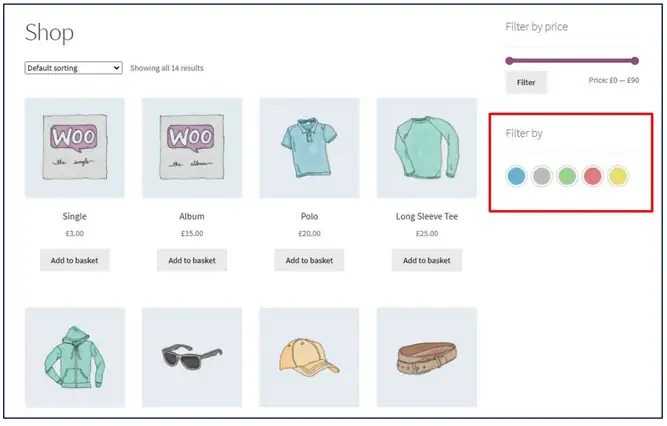
Filtering is a way to help the user narrow down results to help find what they are looking for.

This is not only used for ecommerce – but can be applied to any list of objects that can be organised by different attributes, for example articles, or downloads.

The most important step in this process is to define the taxonomies that organise and group information. For example:

  • Brand
  • Industry
  • Colour
  • Size
  • Price range
  • Topic
  • Tag

WooCommerce shop page with a Filter by colour swatch filter highlighted

Ben Barin

Strategic & Technical Director at TBST Digital. Ben has spent over 13 years helping businesses across Australia get more from their digital presence — from architecture and development through to SEO, analytics, and long-term strategy. He writes about the things he sees working (and not working) in the real world.

Found this useful?

Explore our tools and guides to put these ideas into practice.

Browse Tools